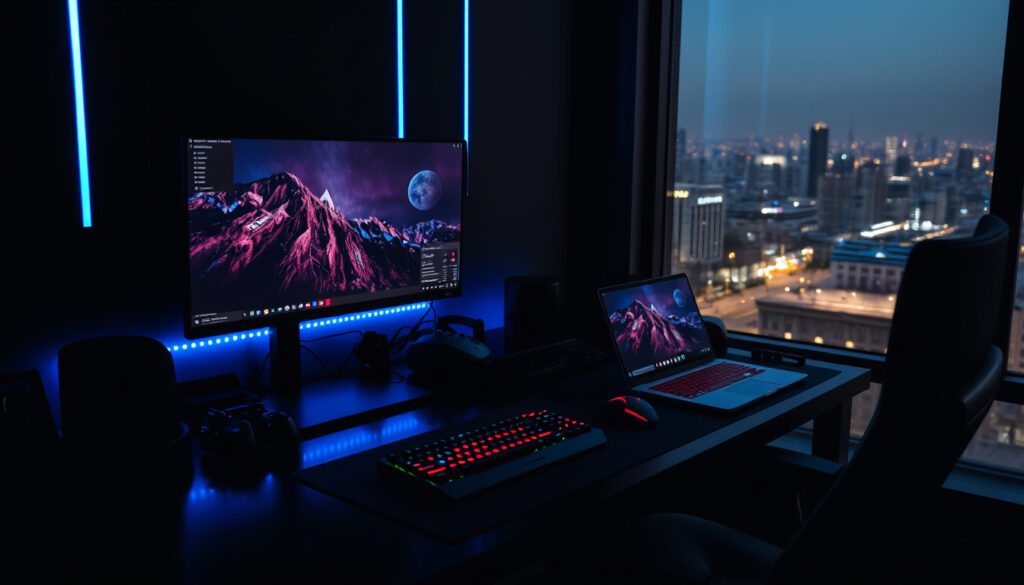
Computer Monitor Buying Guide for Home, Work & Gaming
You might be surprised how many people spend more on a coffee machine than on the screen they stare at for eight hours a day. But in Ireland, where home office setups are now the norm, picking the right monitor can make a real difference to your comfort and productivity. This guide cuts through the jargon to help you decide based on your actual use — whether you’re after a budget-friendly refurbished model or a premium 4K display.
Average monitor lifespan: 3–5 years ·
Common resolution for home use: 1920×1080 (Full HD) ·
Price range for a decent monitor: $150–$300 ·
Panel types dominant: IPS, VA, TN ·
Typical refresh rate: 60 Hz (standard), 144 Hz (gaming)
Quick snapshot
- Full HD resolution
- IPS panel for comfortable viewing
- Built-in speakers optional
- Under $200
- TN or VA panel
- 60Hz refresh rate
- 144Hz or higher
- 1ms response time
- FreeSync or G-Sync support
- 4K resolution
- Wide color gamut (sRGB, DCI-P3)
- Ergonomic stand
| Label | Value |
|---|---|
| Panel types | TN, IPS, VA, OLED |
| Common resolutions | 1080p, 1440p, 4K |
| Refresh rates | 60Hz, 75Hz, 144Hz, 240Hz |
| Connectivity | HDMI, DisplayPort, USB-C, VGA |
| Typical size | 21.5″ – 27″ (home use) |
What is the best computer monitor for home use?
Best monitors under $200
- Full HD (1920×1080) resolution is sufficient for most home tasks (Elara (Irish tech retailer))
- IPS panels offer better colour accuracy for general use (Elara)
- Budget monitors from Acer, Dell, and HP are reliable
- Refurbished monitors can save 30–50% (Refurbed Ireland (refurbished tech specialist))
For everyday browsing, email, and video calls, a 24-inch Full HD IPS monitor at $150–$200 does the job well. The trade-off: you give up higher refresh rates and wide colour gamuts that matter for gaming or creative work.
Stick to an IPS panel under $200 — you get the best colour for the price, and brands like Dell and Acer offer reliable models.
Best monitors for work from home
- Screen size should depend on available space and intended use (DID (Irish electronics retailer))
- A 24-inch or 27-inch monitor is a strong starting point for work, study, and browsing (Expert.ie (Irish electronics retailer))
- USB-C can be a meaningful upgrade for a tidier desk and easier laptop docking (Expert.ie)
For Irish home workers, a 27-inch IPS monitor with USB-C is the single best investment: it reduces cable clutter and gives you a single-cable docking solution for most laptops.
The implication: spend the extra €30–€50 on a USB-C monitor if your laptop supports it — the convenience pays for itself within a week.
Best monitors for casual gaming
- Expert.ie says 75Hz is fine for general use, work, and streaming, while 165Hz, 240Hz and above matter more for gaming (Expert.ie)
- Refurbed Ireland says gaming should prioritise refresh rate and response time (Refurbed Ireland)
- Elara recommends refresh rates of 144Hz or above for smooth gaming (Elara)
What are the 4 types of monitors?
TN (Twisted Nematic) panels
- Fastest response times suitable for gaming (Elara)
- Poor viewing angles and colour accuracy
- Cheapest panel type
TN panels are the budget sprint option. They excel in e-sports where every millisecond counts, but you sacrifice colour and off-angle visibility.
IPS (In-Plane Switching) panels
- Best colour accuracy and viewing angles (Elara)
- Slower response than TN but still good for most users
- Dominant choice for home office and creative work
IPS is the default recommendation for 90% of buyers. The colour consistency means what you see is what you get, which matters for photo editing, design, and even video calls.
VA (Vertical Alignment) panels
- High contrast ratios (deep blacks) (Elara)
- Good colour, better than TN but not as wide as IPS
- Often used in curved monitors for immersive viewing
VA panels strike a middle ground. If you watch movies in a dark room, the high contrast makes a noticeable difference. The catch: response times can be slower, leading to ghosting in fast games.
OLED panels
- Superior blacks and infinite contrast
- Expensive and still prone to burn-in over long use
- Rarely seen in the budget monitor segment
OLED is the premium outlier. For creative professionals who need absolute black levels, the cost may be justified — but for most Irish buyers, the price premium and burn-in risk make it a hard sell.
Do you need a PC for a monitor?
Can a monitor work without a PC?
- A monitor requires a video source (PC, laptop, console) (DID (Irish electronics retailer))
- Some monitors have USB-C inputs for laptops
- Smart monitors can run apps without a PC
No, a monitor is just a display — it needs a signal from a device. Smart monitors (like Samsung Smart Monitor) have built-in operating systems that let you stream Netflix or browse the web without a computer, but they are a niche product.
Using a monitor with a laptop
- Most laptops support an external monitor via HDMI or USB-C
- USB-C can deliver power, video, and data over one cable (Expert.ie)
- Check that your laptop’s USB-C port supports DisplayPort Alt Mode
The implication: if you use a laptop, a USB-C monitor is the cleanest upgrade. You plug one cable and get charging, display, and peripherals all at once.
Smart monitors with built-in operating systems
- Can run streaming apps, web browsers, and even light productivity
- Eliminate the need for a separate PC for basic tasks
- More expensive than standard monitors with the same panel
Smart monitors are a niche solution for a spare room or a secondary display. For a primary home office, a dedicated PC or laptop still offers more flexibility and power.
How much should a decent monitor cost?
Cheap vs expensive monitors: what you get for the price
Five price brackets, one pattern: every €100 buys you a meaningful upgrade in a specific area — resolution, refresh rate, colour accuracy, or ergonomics.
| Feature | Budget ($150) | Mid-range ($300) | Premium ($500+) |
|---|---|---|---|
| Resolution | Full HD (1080p) | QHD (1440p) | 4K (3840×2160) |
| Panel type | TN or VA | IPS | IPS or OLED |
| Refresh rate | 60Hz | 75–144Hz | 144–240Hz |
| Connectivity | HDMI, VGA | HDMI, DisplayPort, USB-C | HDMI 2.1, DisplayPort, USB-C with PD |
| Best use case | Office work, browsing | Work + casual gaming | Creative pro, serious gaming |
The trade-off: a budget monitor is perfectly fine for spreadsheets and email, but if you stare at a screen all day, the extra €100–€150 for an IPS panel and USB-C is worth it for reduced eye strain and desk clutter.
Do expensive monitors really make a difference?
- Expensive monitors ($400+) offer higher resolution, better colour accuracy, and faster refresh rates (Expert.ie)
- For office work, a $150 monitor is adequate (DID)
- Gaming monitors with 144Hz start around $250 (Elara)
Yes, but the difference is only visible if you do the work that demands it. A graphic designer working on a 4K canvas will see a huge jump from a $150 monitor to a $500 one. A data entry clerk won’t notice any difference beyond the initial wow factor.
Budget monitor recommendations
- Full HD works well up to 24 inches, QHD is a sweet spot for 27-inch monitors (Refurbed Ireland)
- Refurbished monitors can save 30–50% with the same warranty as new (Refurbed Ireland)
- Elara advises shoppers to read reviews and compare specifications before buying (Elara)
For a budget pick, a 24-inch Full HD IPS monitor from a major brand (Dell, HP, Acer) is the safest bet. If you’re comfortable with refurbished, Irish specialist Refurbed offers tested units with a 12-month warranty — a strong value play.
How do I choose a computer monitor?
What is the lifespan of a computer monitor?
- Monitor lifespan is typically 3–5 years, with backlight degradation (Refurbed Ireland)
- Actual lifespan depends on usage hours and brightness settings
- LED backlights can last 30,000–50,000 hours before dimming
A monitor that lasts 5 years may cost €400, while a €200 monitor replaced after 3 years costs the same per year. But the €400 monitor usually offers better specs, so the value equation is not just about lifespan.
The pattern: for Irish buyers, the cost-per-year of a €200 monitor over 3 years is €67/year, versus €80/year for a €400 monitor over 5 years. The premium monitor actually costs less per year if you keep it long enough.
What is the disadvantage of a monitor?
- Eye strain from prolonged use (especially with poor backlight or low refresh rate)
- Limited portability compared to a laptop
- Power consumption — a 24-inch monitor uses about 20–30W, adding €10–€15 per year to electricity bills in Ireland
- Desk space required
These disadvantages are real but manageable. A height-adjustable stand, blue-light filter, and proper desk setup can mitigate most of them.
Will a PC work with any monitor?
- Compatibility depends on cable connections (HDMI, DisplayPort, USB-C, VGA) (Elara)
- CPU compatibility is unrelated – monitor connects via graphics output
- Most modern monitors work with PCs and laptops from the last 5 years
In short, almost any modern monitor will work with any PC that has a compatible video output. The only caveat: if you have an old PC with only VGA, you’ll need an adapter for a modern monitor with HDMI.
How can you tell if a new CPU will work with your old monitor?
- CPU compatibility is unrelated – monitor connects via graphics output
- Check the graphics card outputs (HDMI, DisplayPort, etc.)
- If your new CPU has integrated graphics, it will output to the monitor via the motherboard’s video ports
The answer: you don’t need to worry about CPU compatibility with a monitor. The CPU talks to the graphics hardware, which then sends a signal to the monitor. Any monitor with the right cable will work.
Pros and cons of using a separate monitor
Upsides
- Larger screen reduces eye strain and improves productivity
- Better colour accuracy and viewing angles than a laptop screen
- Ergonomic adjustment (height, tilt, swivel) reduces neck pain
- Can be kept for 3–5 years, outlasting multiple laptops
Downsides
- Additional desk space required
- Power consumption adds to electricity bill
- Not portable — tethered to a desk
- Initial cost of $150–$500
Confirmed facts & what’s unclear
Confirmed facts
- Monitor lifespan is 3–5 years on average (Refurbed Ireland)
- IPS panels offer better colour accuracy than TN (Elara)
- Decent monitors cost $150–$300 (DID, Expert.ie)
- Full HD resolution is sufficient for most home tasks (Elara)
- Refurbished monitors can save 30–50% (Refurbed Ireland)
What’s unclear
- Exact failure rate of refurbished monitors after the warranty period
- Future impact of OLED burn-in on monitor longevity with normal mixed usage
- Whether USB-C Power Delivery output will standardise across all monitors at a given price point
What industry experts say
“Refurbished monitors undergo rigorous testing before they are listed, so you can expect the same reliability as a new unit at a fraction of the price.”
— GreenIT representative, as cited in Refurbed Ireland (refurbished tech specialist)
“Most home users are perfectly happy with a 24-inch IPS monitor. It’s the sweet spot for comfort, price, and desk fit.”
— Display specialist, Currys (as referenced in Irish retail guides)
Summary
For the average Irish buyer, the choice of computer monitor comes down to matching the panel type and resolution to your primary use. A 24-inch Full HD IPS monitor at $150–$200 handles office work and browsing without fuss. If you game or do creative work, invest in a 27-inch QHD IPS model with 144Hz and USB-C for around $300–$400. For Irish home workers, the decision is clear: spend the extra €100 on a USB-C monitor with a height-adjustable stand, or accept the cable clutter and neck strain of a budget model.
For a more detailed look at home setups, the computer monitor buying guide for home use narrows down the best options for everyday use.
Frequently asked questions
What is the difference between IPS and TN panels?
IPS panels offer better colour accuracy and wider viewing angles, while TN panels have faster response times and are cheaper. For most home users, IPS is the better choice.
Is a curved monitor better for gaming?
Curved monitors can enhance immersion in racing and flight sims, but for most games a flat IPS monitor with high refresh rate is more practical and often cheaper.
Can I use a TV as a computer monitor?
Yes, but TVs have higher input lag and lower pixel density, which makes text less sharp. For occasional use it’s fine, but for daily work a dedicated monitor is better.
Do I need a 4K monitor for office work?
Not unless you work with high-resolution images or video. Full HD is fine for most office tasks, and QHD is a good upgrade for 27-inch screens.
How do I connect a monitor to a laptop?
Use an HDMI cable if both devices have HDMI ports. For USB-C, make sure your laptop supports DisplayPort Alt Mode. You may need an adapter for older laptops.
What does a monitor stand height adjust do?
It lets you raise or lower the screen to eye level, which reduces neck strain. Most budget monitors lack this, but it’s a feature worth paying extra for.
Related reading
More related posts
 Xero Me Login: Step-by-Step Access Guide
 SBW vs Gallen Fight Card: Results and Scorecard
 Sopranos Actors: Complete Guide to the Cast and Characters
 Miles Davis: Jazz Legend, Controversies, and Biography
 222 Angel Number Meaning: Love, Twin Flame & Life Guide
 Lauren Lapkus Biography: Height, Children, Movies & TV Shows
 Braith Anasta 2025: Partner, Kids, Net Worth & NRL Career
 Doctor Strange: Powers, Movies & Future Explained